
A property management system for sale can look like a quick operational upgrade: one platform to track tenants, collect rent, manage maintenance, and keep records in order. But the purchase decision is rarely about features alone. It is about whether the system fits how your property business actually earns, communicates, and grows.
For a landlord with a few units, a simple cloud tool may be enough. For a growing property company, a system must support staff roles, recurring workflows, reporting, payment reconciliation, and reliable access to data. Buying the wrong platform can create more manual work, not less.
In this guide
Start With the Operating Problem
Before comparing vendors, define the work that is currently leaking time or revenue. Property operators often shop for software because they are tired of spreadsheets, WhatsApp messages, missed maintenance updates, or unclear rent records. Those are valid reasons, but they are symptoms. The better question is: what process needs to become predictable?
A practical system should help you move from scattered activity to a visible operating process. That may mean knowing which tenants are overdue before month-end, assigning maintenance requests without repeated follow-up, or giving owners a clean financial report without rebuilding it by hand.
Write down the journey from inquiry to tenancy, rent collection, maintenance request, renewal, and move-out. If the platform cannot support the way your team handles those moments, a long feature list will not save the investment.
What a Property Management System Should Handle
The right platform is not necessarily the one with the most tools. It is the one that covers the core workflows your business needs now while leaving room for sensible expansion.
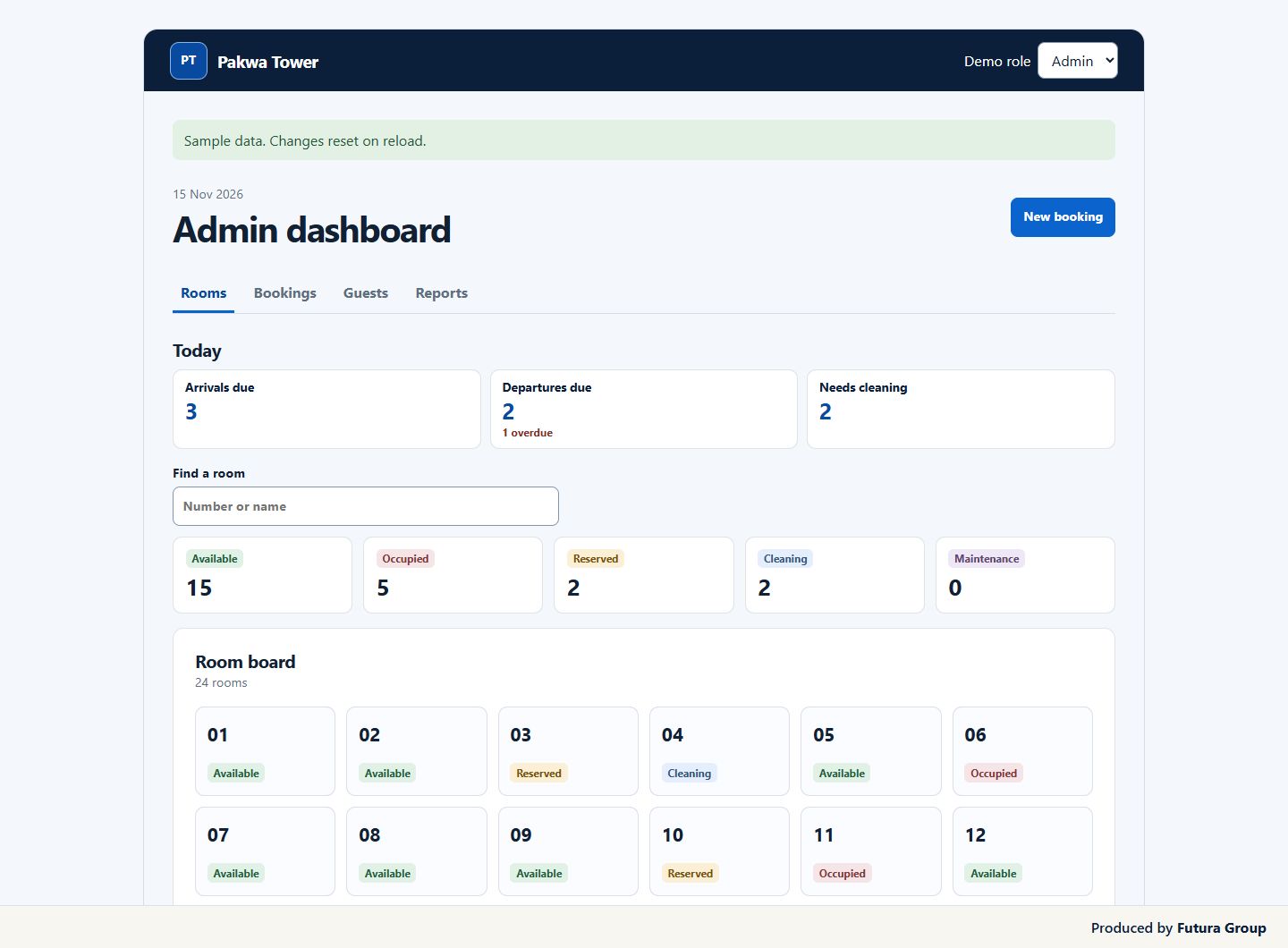
At a minimum, review how the system handles tenant records, unit availability, lease documents, rent and late-payment tracking, maintenance tickets, accounting exports, and reporting. These functions should work together. For example, a maintenance request should connect to the correct property, tenant, vendor, cost, and status without requiring your team to enter the same information in multiple places.
A strong property management system for sale should also make responsibility clear. Staff should know who owns a task, what has been completed, and what needs a decision. That visibility matters more as you add properties, locations, contractors, or property owners.
Payments and reconciliation deserve extra attention
Payment collection is where software claims often meet operational reality. Ask whether the system supports the payment methods your tenants actually use. A platform built around US card and ACH payments may not fit a market where bank transfers, mobile money, or local payment gateways are standard.
Also check what happens after a payment arrives. Can the system automatically match it to the right tenant and invoice? Can it flag partial payments, deposits, penalties, and arrears? If reconciliation still requires hours of manual checking each month, the platform has not solved one of the most commercially valuable problems.
Maintenance is a service workflow, not just a ticket form
Maintenance features should reduce uncertainty for tenants and staff. Look for the ability to categorize urgency, attach photos, assign vendors, record estimates, track approval, and close the job with a cost history.
For smaller portfolios, a basic request log may be enough. For managed properties or premium rentals, status notifications and vendor accountability can directly affect retention and reputation. The trade-off is that detailed maintenance modules often require discipline from staff and contractors. A system only produces useful data when people update it.
Who owns the property management system and its data?
The phrase property management system for sale can mean different things. You may be buying a subscription to established software, a white-label platform, a custom-built application, or even an entire property technology business. Each option has a different risk profile.
A subscription product is usually faster to launch and easier to support. The provider handles updates, security patches, and infrastructure. The downside is less control over customization, pricing changes, and the future product roadmap.
A white-label system can help an operator present a branded tenant or owner portal without building technology from scratch. This works well when brand experience matters, but you still need to confirm who controls the underlying code, data, and support obligations.
A custom application gives you more control over workflows and integrations. It can be worthwhile if your process is genuinely different or if software itself is part of your commercial offer. However, custom software is not a one-time purchase. It requires ongoing maintenance, hosting, security, testing, and development capacity.
If you are buying an existing property management software business, due diligence must go deeper. Review recurring revenue, customer churn, source code quality, infrastructure costs, data protection practices, intellectual property ownership, support workload, and technical documentation. A low purchase price may conceal an expensive rebuild.
Compare the full cost of a property management system
The listed price is rarely the full cost of implementation. A low monthly fee can become expensive when setup, user seats, payment processing, data migration, custom reports, integrations, training, and premium support are added.
Ask for a complete first-year cost based on your actual number of units, users, properties, and expected transactions. Then ask what the same setup will cost if your portfolio doubles. This is especially important for operators planning to grow from a handful of units to a multi-property business.
Use this buyer checklist when reviewing a platform:
- What is included in setup, data migration, and staff training?
- Which features require paid add-ons or higher subscription tiers?
- Who owns the data, and how can it be exported if you leave?
- What support is available when rent collection or access fails?
- How are updates, backups, privacy, and security managed?
- What does the system cost at your current size and at your target size?
A vendor that answers these questions clearly is easier to work with than one that leads only with a product demo.
Prioritize Data Access and Integrations
Your property platform should not become a data silo. Tenant records, payment history, maintenance costs, vacancy data, and owner reports are operational assets. You need to know whether they can be exported in a usable format and whether the system connects to the tools your business already depends on.
Common integration needs include accounting software, online payment tools, email and SMS services, document signing, website inquiry forms, and customer relationship management systems. Do not assume an integration exists because a vendor mentions an API. Ask whether it is documented, supported, and suitable for the workflow you need.
For growing operators, automation can create real leverage. A new inquiry can enter a lead pipeline, trigger a viewing confirmation, and notify the relevant agent. An overdue payment can generate a reminder sequence while escalating to a staff member when needed. Those workflows should be designed around your service standards, not added simply because automation is available.
This is where property operations and digital growth begin to overlap. A well-built website can generate better inquiries, while a connected management system prevents those leads from disappearing into inboxes and informal chats. Futura Group approaches digital systems from this practical angle: technology should support a clear commercial process.
Test the property management system with real scenarios
Never make the final decision based on a polished dashboard. Ask for a trial account or a guided demonstration using scenarios from your own operation. Add a new unit, create a tenant profile, issue a lease, record a deposit, log a repair request, collect a partial payment, and generate a monthly report.
Pay attention to what happens when something goes wrong. Can a payment be corrected without corrupting records? Can staff permissions prevent unauthorized changes? Can you find the history of a tenant conversation or maintenance expense quickly? The everyday exceptions reveal more than the ideal workflow.
Bring the people who will use the system into the review process. A founder may care about reporting and scalability, while a property manager needs speed, clarity, and fewer repeated tasks. If the team finds the software confusing during testing, adoption will be weak after purchase.
Choose for the Next Stage, Not an Imaginary Empire
Do not buy enterprise software for a small portfolio just because it appears more professional. Complex platforms can slow down a lean team with configuration work, training demands, and features nobody uses. At the same time, do not choose a basic tool that will collapse as soon as you add staff, owners, or multiple properties.
The best choice sits close to your next 12 to 24 months of growth. It should solve current bottlenecks, support your likely expansion, and allow you to keep control of your data and customer experience.
A property management platform is not the business itself. It is the operating layer behind the business. Choose one that makes it easier to collect revenue, respond to tenants, track performance, and make decisions with confidence. That is the standard worth paying for.
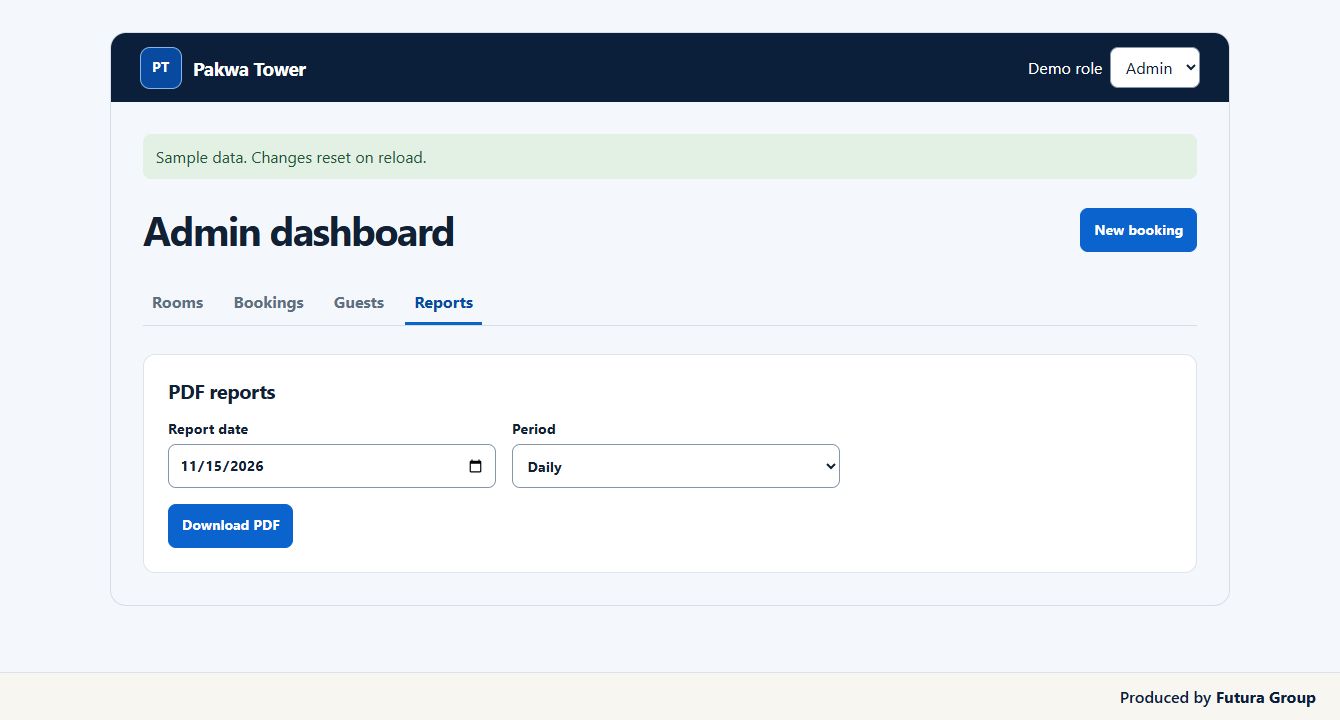
Three checks before buying a property management system
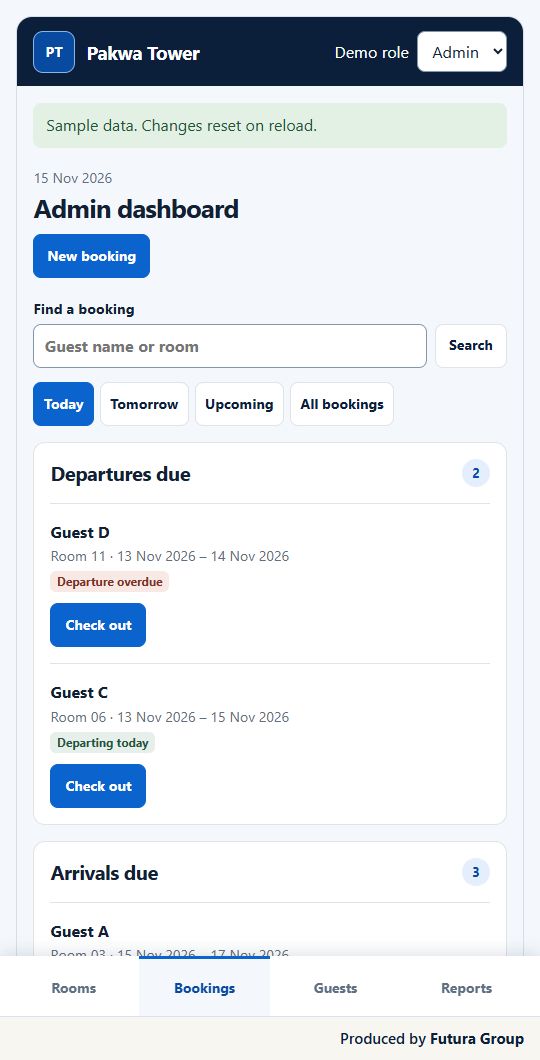
Use one ordinary working day as the basis for your supplier demonstration.
- Ask a staff member to record an arrival or tenant payment while a manager checks the same record.
- Request an itemised first-year quote covering setup, migration, training, support and any per-unit charges.
- Ask for a sample export and written details of who owns the records when the agreement ends.
See the Futura Group hotel and guest-house PMS. When comparing web-based products, use the OWASP application verification standard to frame questions about staff access.
For a hotel or guest house, share your room count and the reports your front desk and owner need. Futura Group can scope the build around those requirements. Request a hotel or guest-house PMS quote.