Futura Group built a guest house property management system for the 14-room Pakwa Tower Guest House in Kumba, Cameroon. Staff manage rooms, bookings, check-in, checkout and reports from one dashboard.
Table of Contents
1. See room status and today’s work at a glance
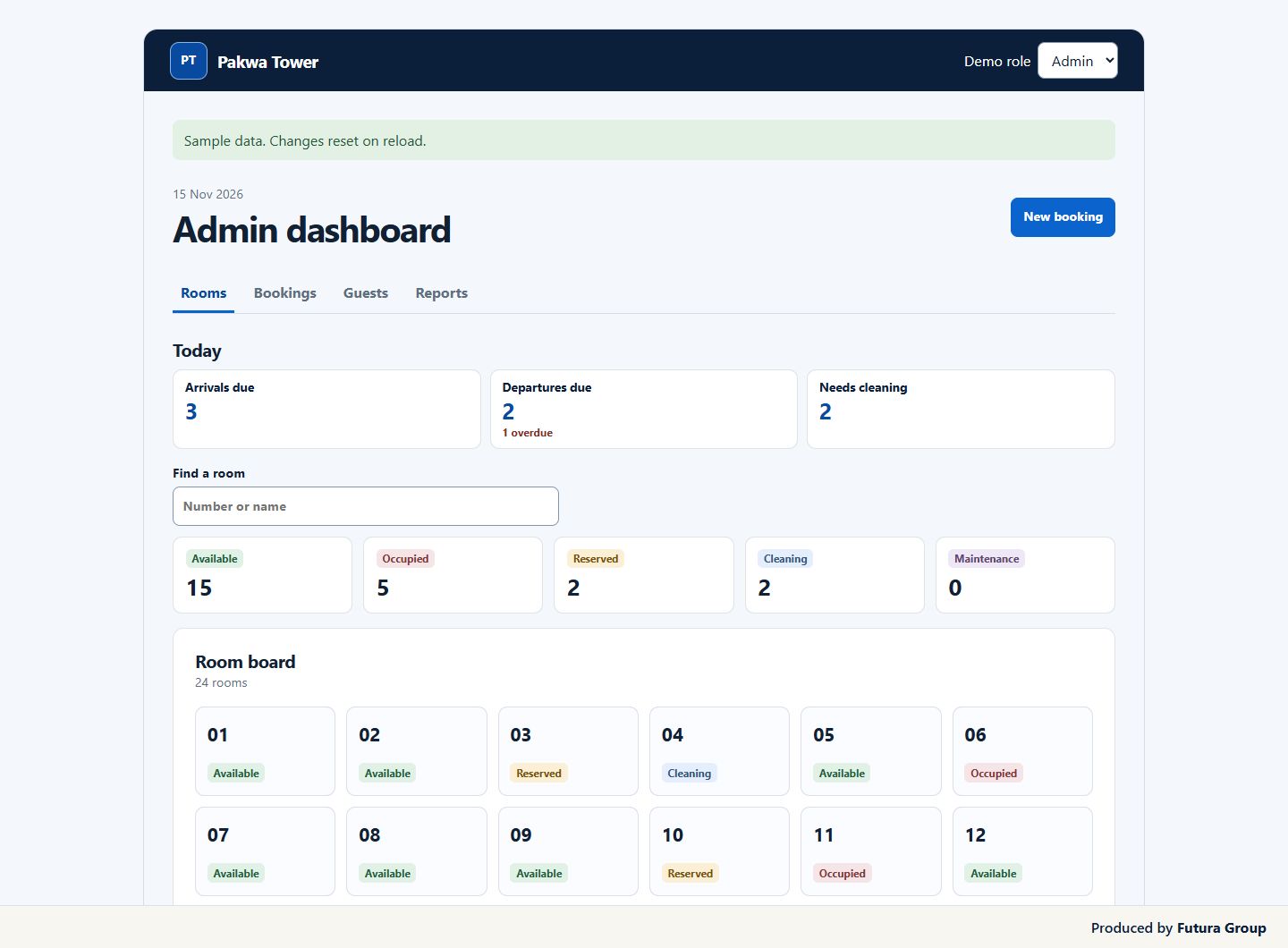
The Room board shows all 14 rooms with a label for each status. Reception can see which rooms are available, occupied, reserved, being cleaned, or on maintenance hold. Staff can search by room number or name and combine the search with a status filter. The board checks for changes every 30 seconds while visible and when a staff member returns to the tab. Search and filters stay in place. Sync pauses while room details are open so staff can finish editing.
The Today summary shows arrivals due, departures due, and rooms that need cleaning. Each count opens the matching list, and overdue arrivals and departures are marked. A receptionist starting a shift can see what is pending and jump straight to the work that needs attention.
2. Find bookings and handle check-ins and check-outs
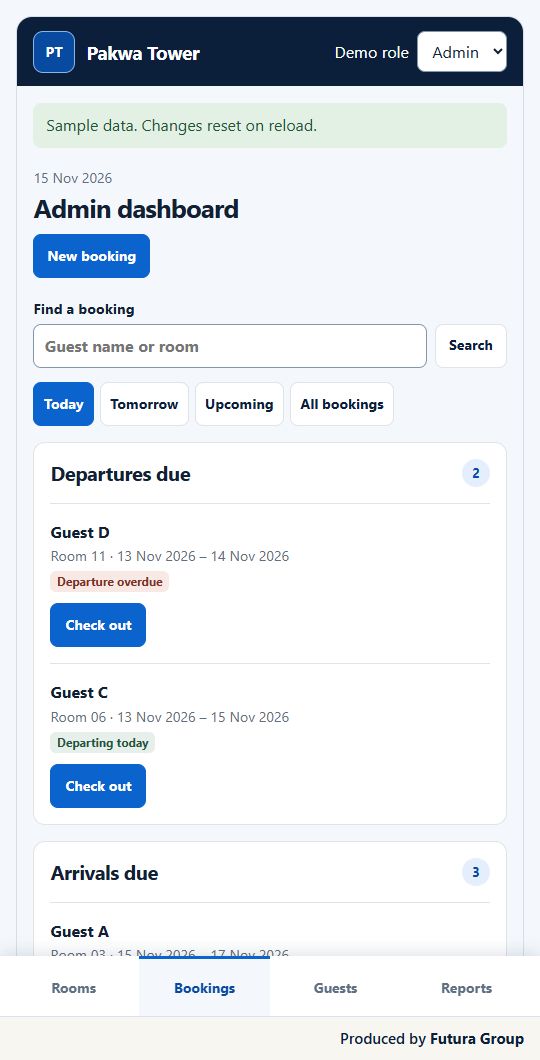
Staff can find a booking by guest name or room and narrow the list with Today, Tomorrow, Upcoming, or All bookings. The guest house property management system checks room availability for the selected dates. Reception can choose a room, enter the stay dates, and select a returning guest or add a new one within the booking workflow.
When a booking is ready, the list makes Check in or Check out easy to find. Editing and cancelling sit under More. After check-out, the room is marked for cleaning. Staff can then mark it ready once it has been cleaned. The next receptionist can see that update on the Room board.
3. Give staff and managers the right access to guest records
Reception can create a guest record, add a phone number and National ID Card Number when needed, and find the record again for a later stay. Individual staff and admin accounts give the team access to the right controls. Admins can also change room labels, manage maintenance holds, and remove eligible guest records.
Deleting a guest requires an admin to confirm. Active and upcoming stays must be resolved first. The desk removes the guest’s name, phone number, and National ID, while past bookings remain in the history under “Deleted guest.” That keeps the booking history useful for the manager reviewing past activity.
4. Download activity reports for your property
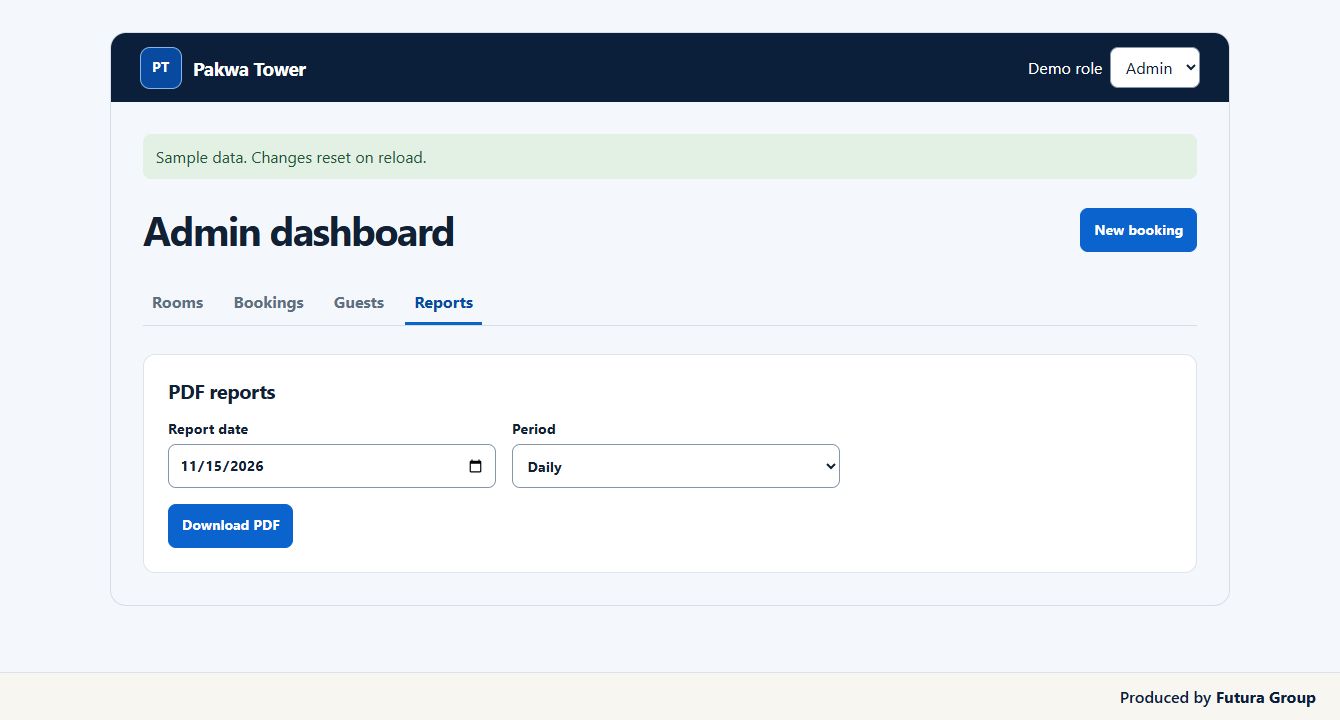
Staff and admins can download daily, weekly, monthly, or yearly PDFs. Reports distinguish scheduled arrivals and departures from actual check-ins and check-outs, and they include cancelled stays. The report dates follow Kumba time, so reception and management review the same operating day.
A manager can download a daily report for a shift review or run a monthly report to see how scheduled stays compare with actual activity. The period and report date are selected from one screen.
5. Give reception a desk that works on phones
Futura Group made the guest house property management system usable on phones as well as desktops. The phone layout keeps Rooms, Bookings, Guests, and Reports within reach in a bottom navigation bar. Room cards display in two columns, and booking search stays near the top of the screen.
That matters when an owner checks the desk away from reception or a staff member updates a room on the floor. Both can work from the same booking and room information. Futura Group delivered the core workflows in one interface, so the property can train staff on the tasks they repeat each shift.
Planning your own front-desk system
Can a guest house property management system work for a small team?
Yes. Start by listing the work a receptionist has to do at the beginning and end of a shift. For example, one person may take reservations, check guests out, and update the cleaning status. Another property may split that work across reception, housekeeping, and a manager. Those differences help determine the screens and access each role needs.
If your team already uses WordPress, its guide to roles and capabilities explains how different accounts can be given different permissions.
For a small team, a guest house property management system can start with a room board, bookings, guest records, and one useful daily report. Pakwa Tower shows how those pieces work together. When a guest checks out, reception sees the room move to cleaning and can mark it ready once the work is done.
What should the first version include?
Choose the workflows your staff need to complete reliably every day. Walk through a common stay from reservation to check-out and write down what reception needs at each step. Include exceptions that matter, such as moving a booking to a different room or putting a room on maintenance hold. A guest house property management system scope is easier to review when it names those tasks and who handles them.
What if we already keep bookings in a spreadsheet?
Tell Futura Group how you keep room and booking records today and what you need available at launch. A list of room labels and a description of your booking columns are enough for a first conversation. You can also describe which upcoming reservations need to be available on day one. That gives the team a way to discuss setup and estimate the work before you commission your guest house property management system.
Start with the tasks your front desk handles every day. A first release for a guest house property management system can cover room status, reservations, check-in and checkout, guest records and activity reports. Ask for a proposal that lists the features, delivery milestones, hosting and support. Agree who will set up rooms, train staff and handle changes after launch.
Give each provider the same example. A guest calls to change an arrival date when the front desk is busy. Ask the provider to show how staff find the booking, check availability and confirm the change. That demonstration helps you compare how each guest house property management system will fit a real shift.
Ask which settings a manager can change and what day-to-day actions reception can perform. WordPress explains the general distinction between roles and capabilities. For your own system, list which actions need manager approval and which staff should be able to see records or export reports.
Plan how you will go live. Give your team a test property with sample rooms and bookings so reception can try the common tasks before using live records. Ask to review a check-in, a checkout, a room cleaning update and one report in the guest house property management system before you sign off. Confirm who will handle questions after training.
If you need online booking, payments or other integrations, identify them in your brief so Futura Group can quote for the work. The scope shown in this case study focuses on the front desk. Ask the proposal to explain how additional systems would connect and which costs are recurring.
When requesting a quote for a guest house property management system, include your property name and location, room count, the way your team takes reservations today and who needs access. Add the reports you want, any booking records you plan to migrate, your preferred launch date and budget range if available. A brief description of a typical shift is enough to start.
Request a guest house property management system quote
If you run a hotel or guest house, tell Futura Group how many rooms you manage, where your property is located, and which team members need access. Share how you handle bookings today, which reception tasks take the most time, and which reports your managers need.
Request your project quote and use those details to scope a guest house property management system around your staff and your property.